


















How To: Change Your Password in MyExeculink
February 10, 2016 Category: Pop Culture
Click here to see Execulink’s Home Internet options

As many of you know, if you want to access your MyExeculink portal to do such things as monitoring your monthly Internet usage, viewing your previous bills, changing your Execulink router password or signing up for service status notifications (and much more), you need to login using your username and secure password.
If you are interested in changing your MyExeculink password, we have provided step-by-step directions to make this adjustment.
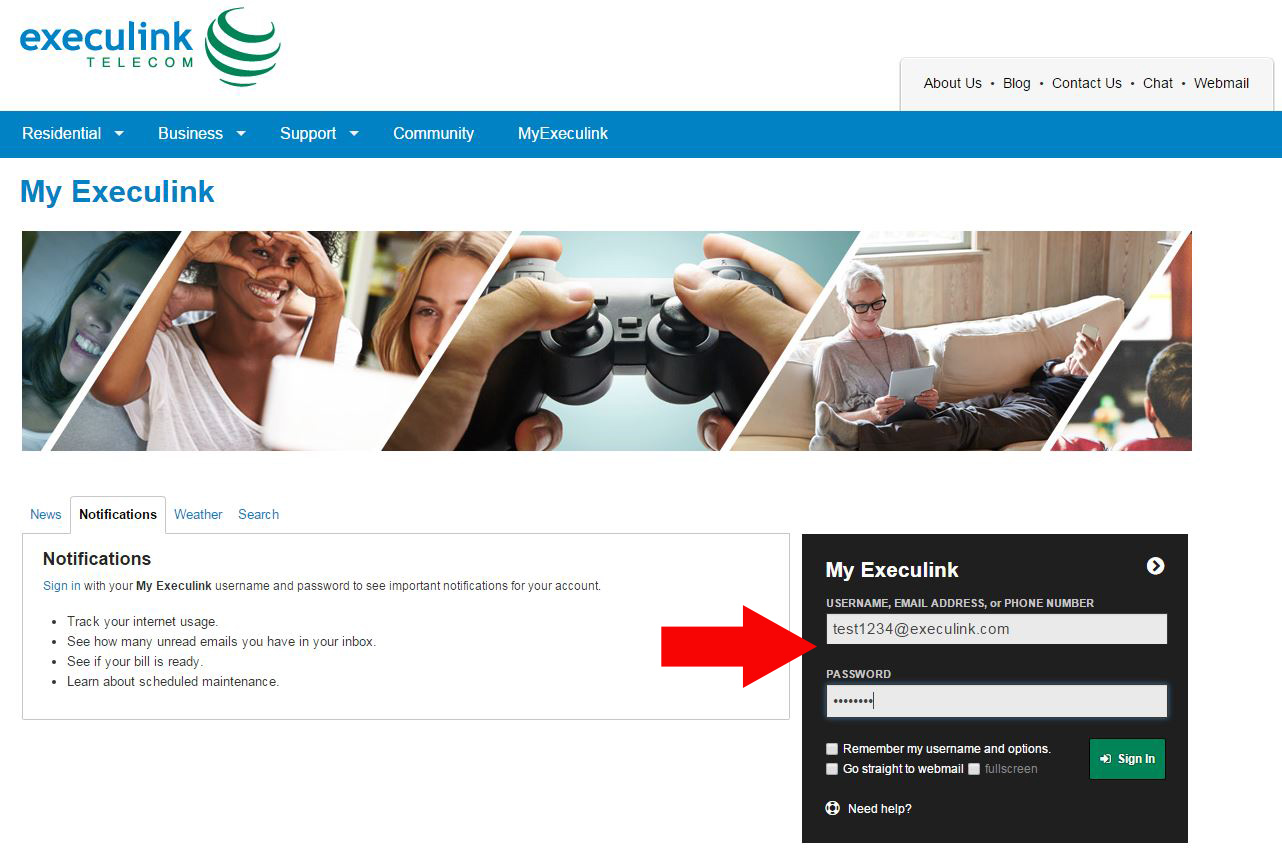
Step One – Log into MyExeculink Using Your Username and Current Password
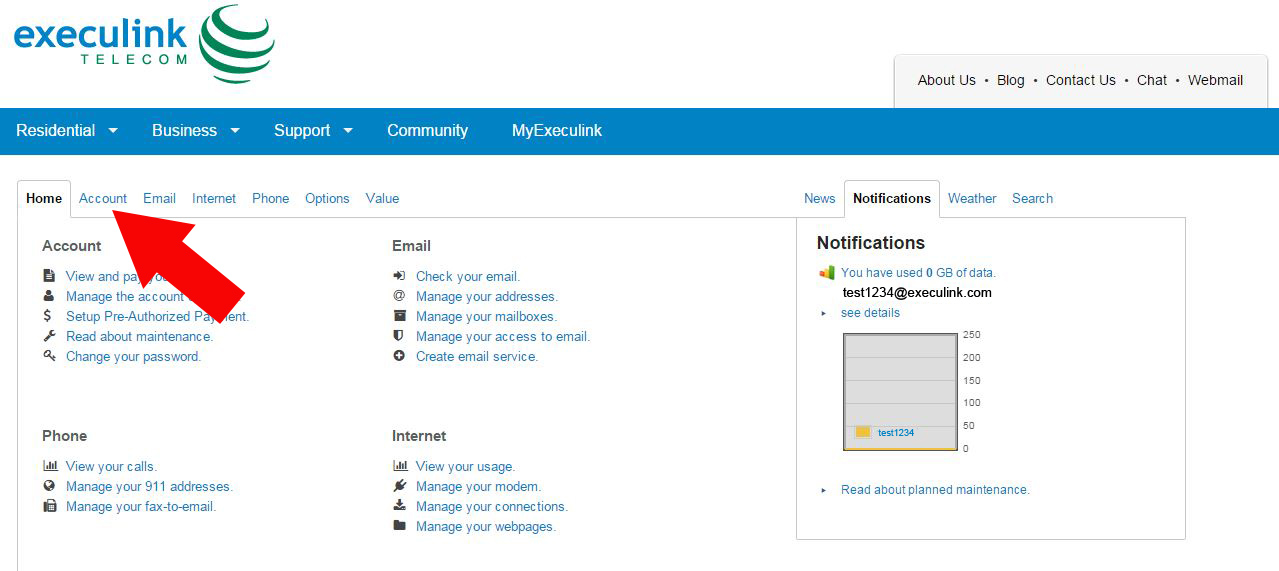
Step Two – Click ‘Account’
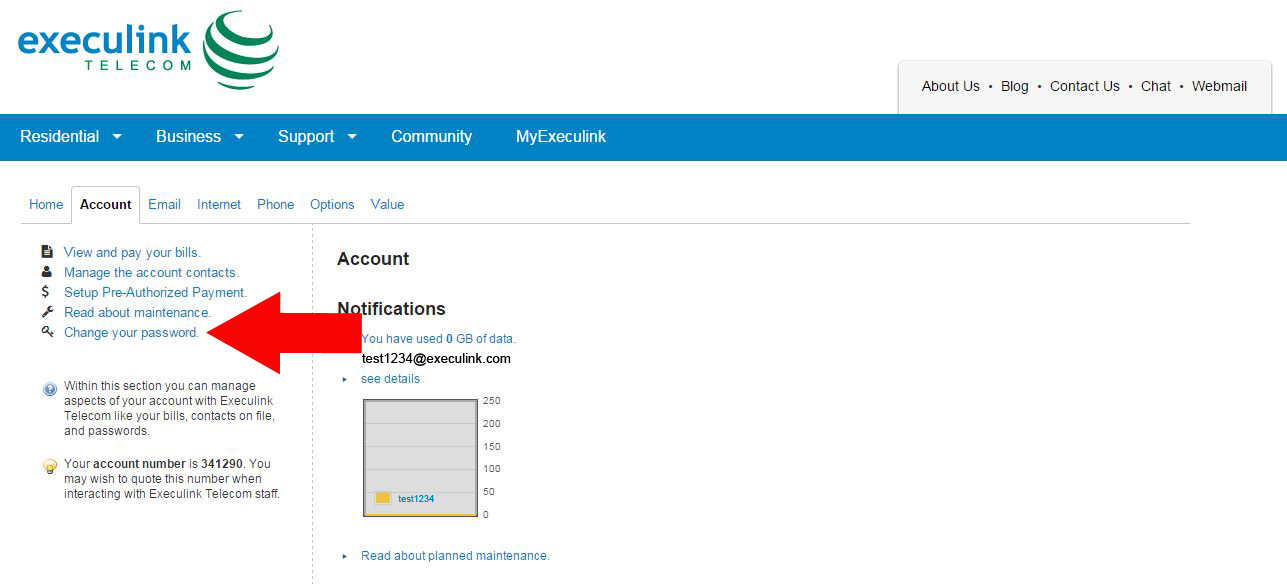
Step Three – Click ‘Change Your Password’
Step Four – Click the checkbox for your email address under ‘My Execulink’ Login
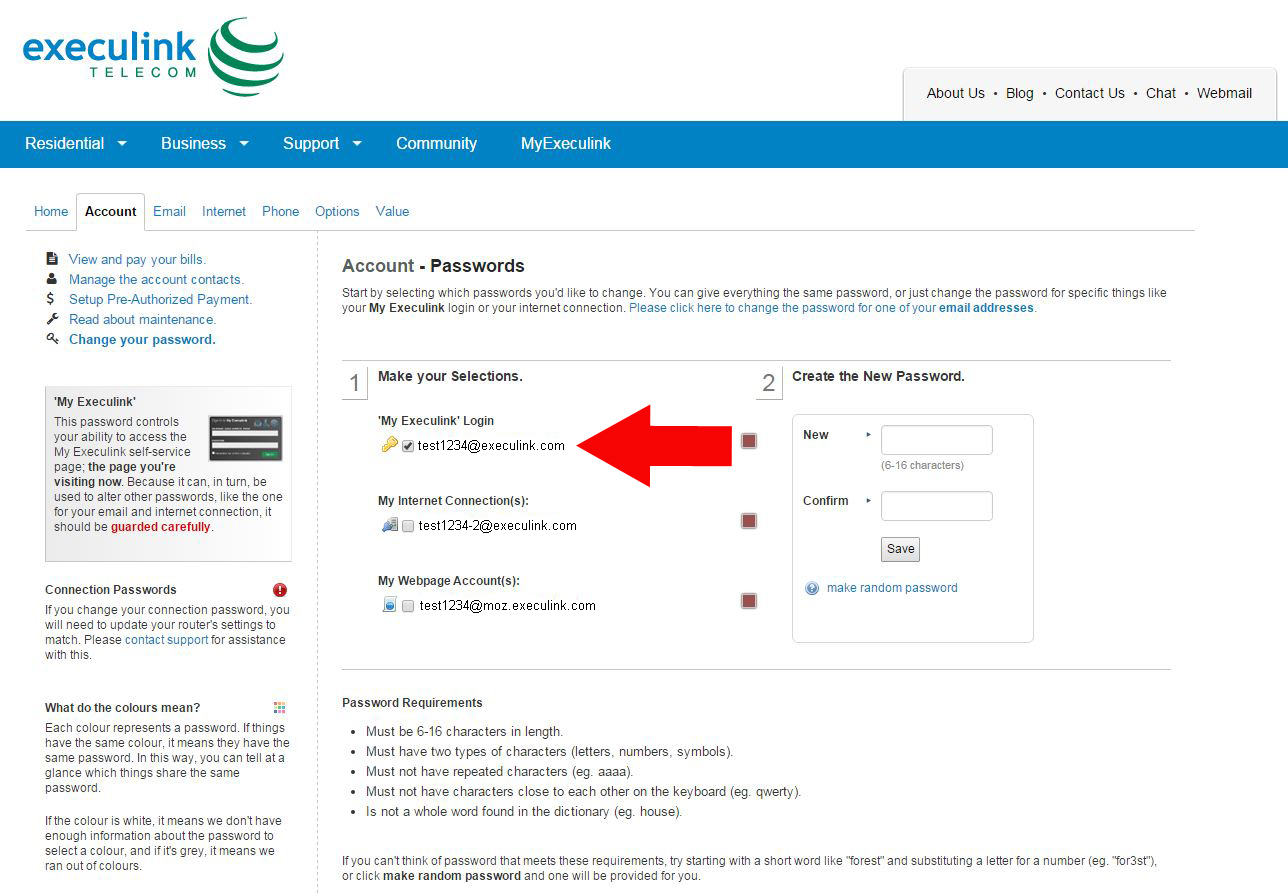
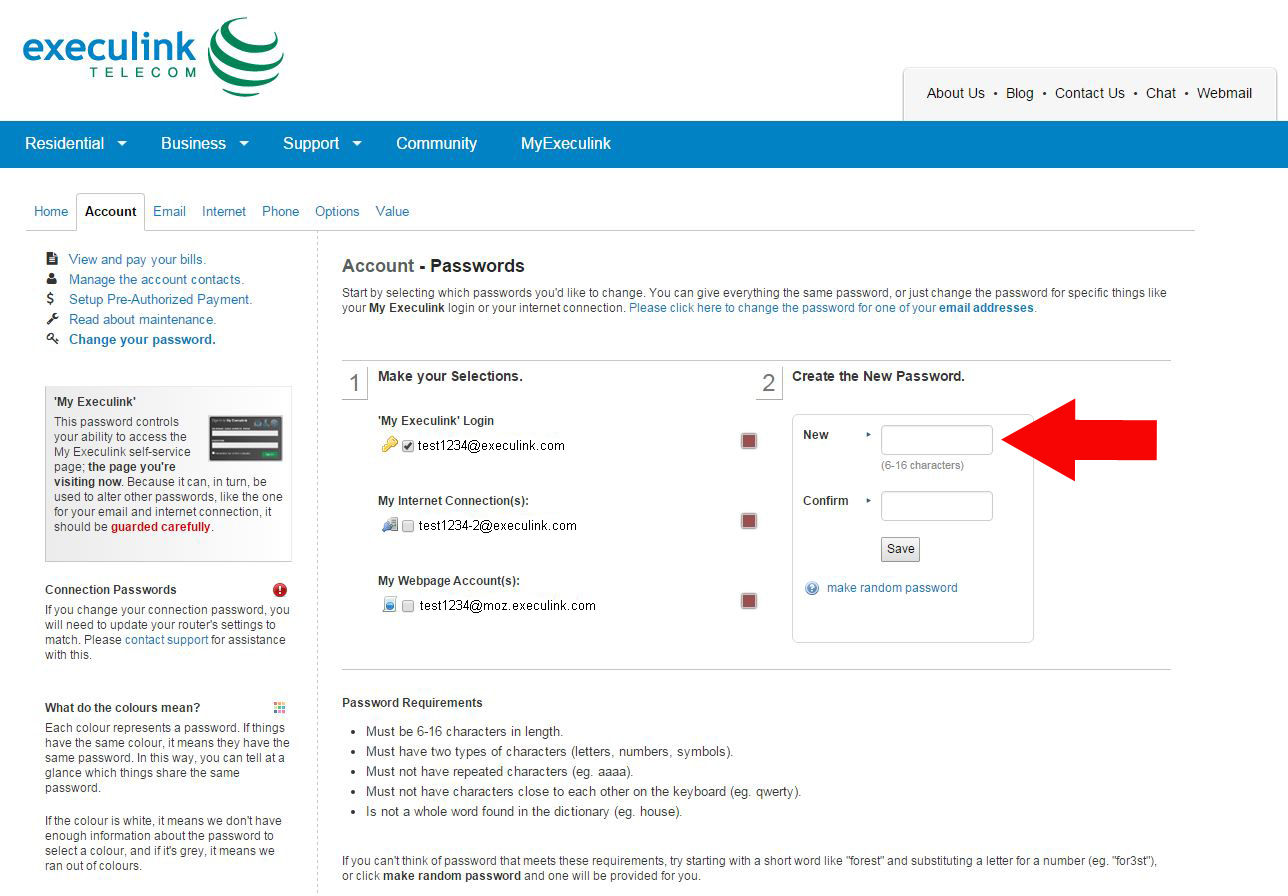
Step Five – Create Your New Password Under ‘Create the New Password’
There is also an option under the ‘Save’ button that will generate a random password for you to use.
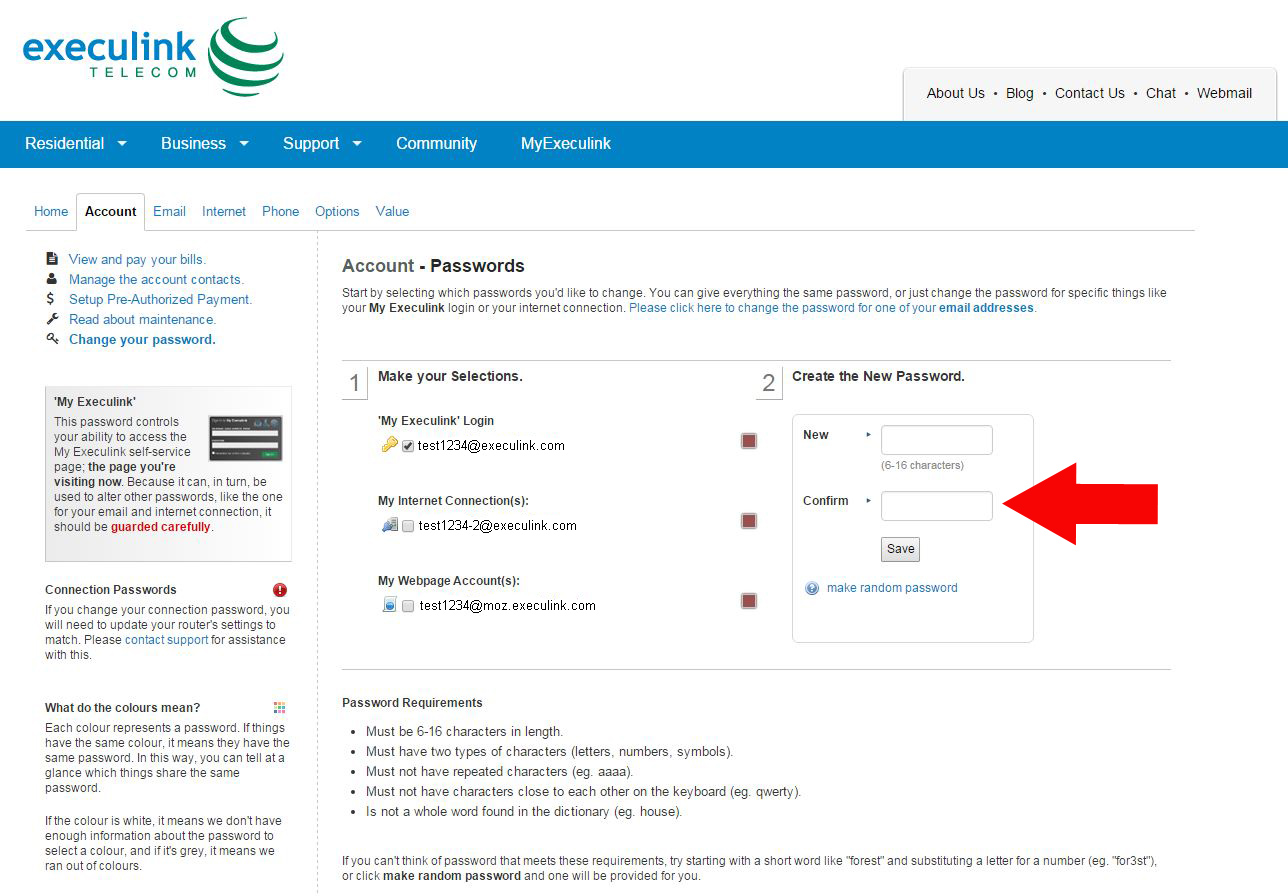
Step Six – Confirm your new password in the box below
Step Seven – Click ‘Save’
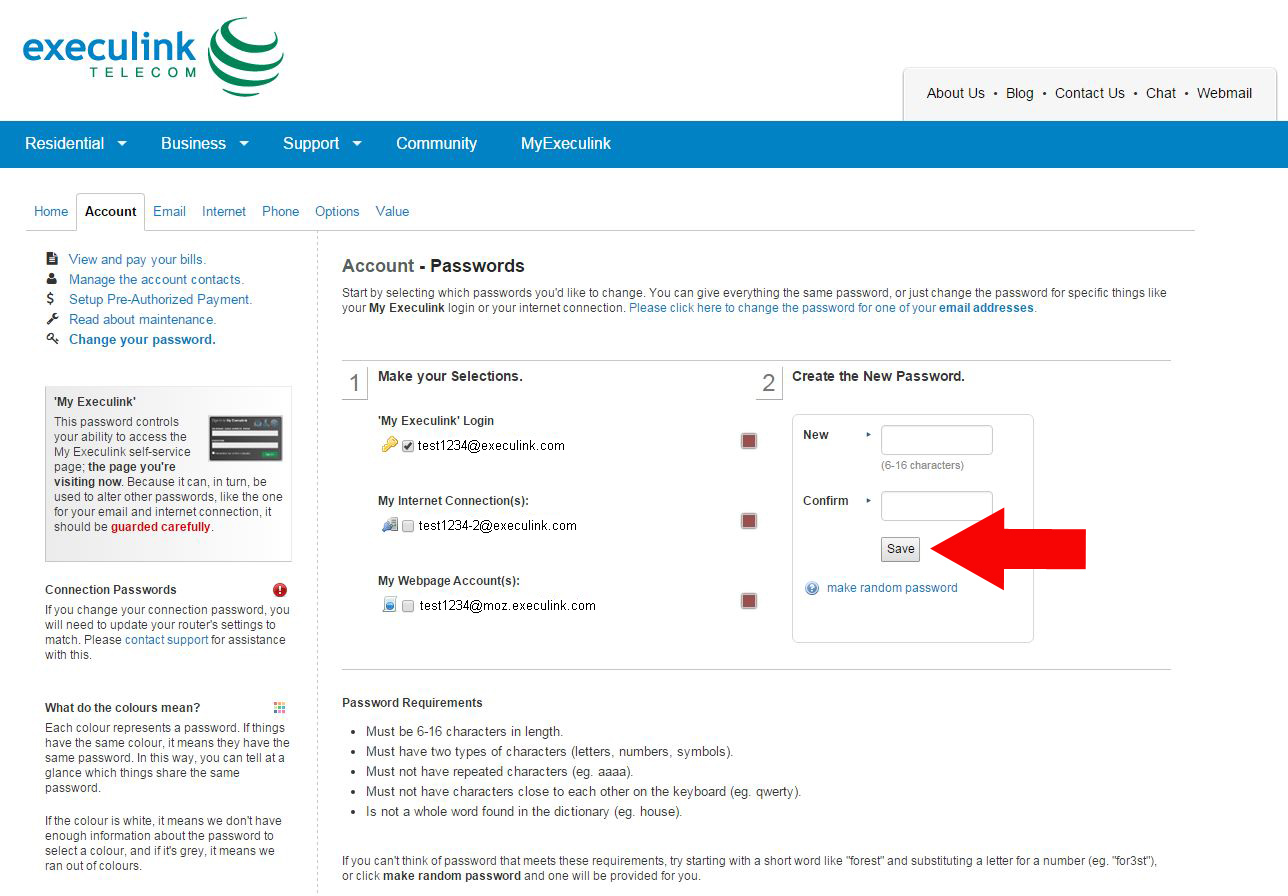
Updating your password is extremely important in protecting your on-line information. Several guidelines for creating a password can be found on this page as well.
To watch the video on how to Change your MyExeculink Password see below.